
Job Costing
Know which jobs actually make money
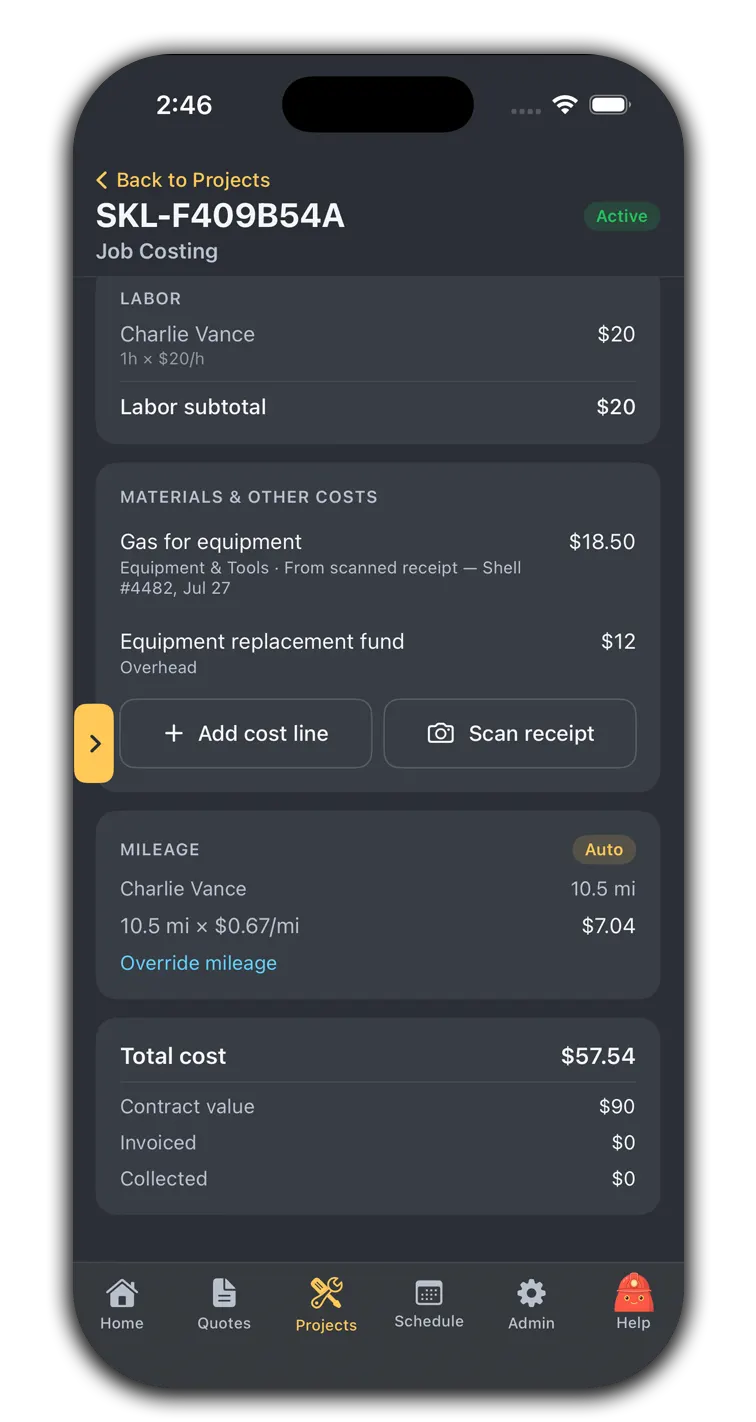
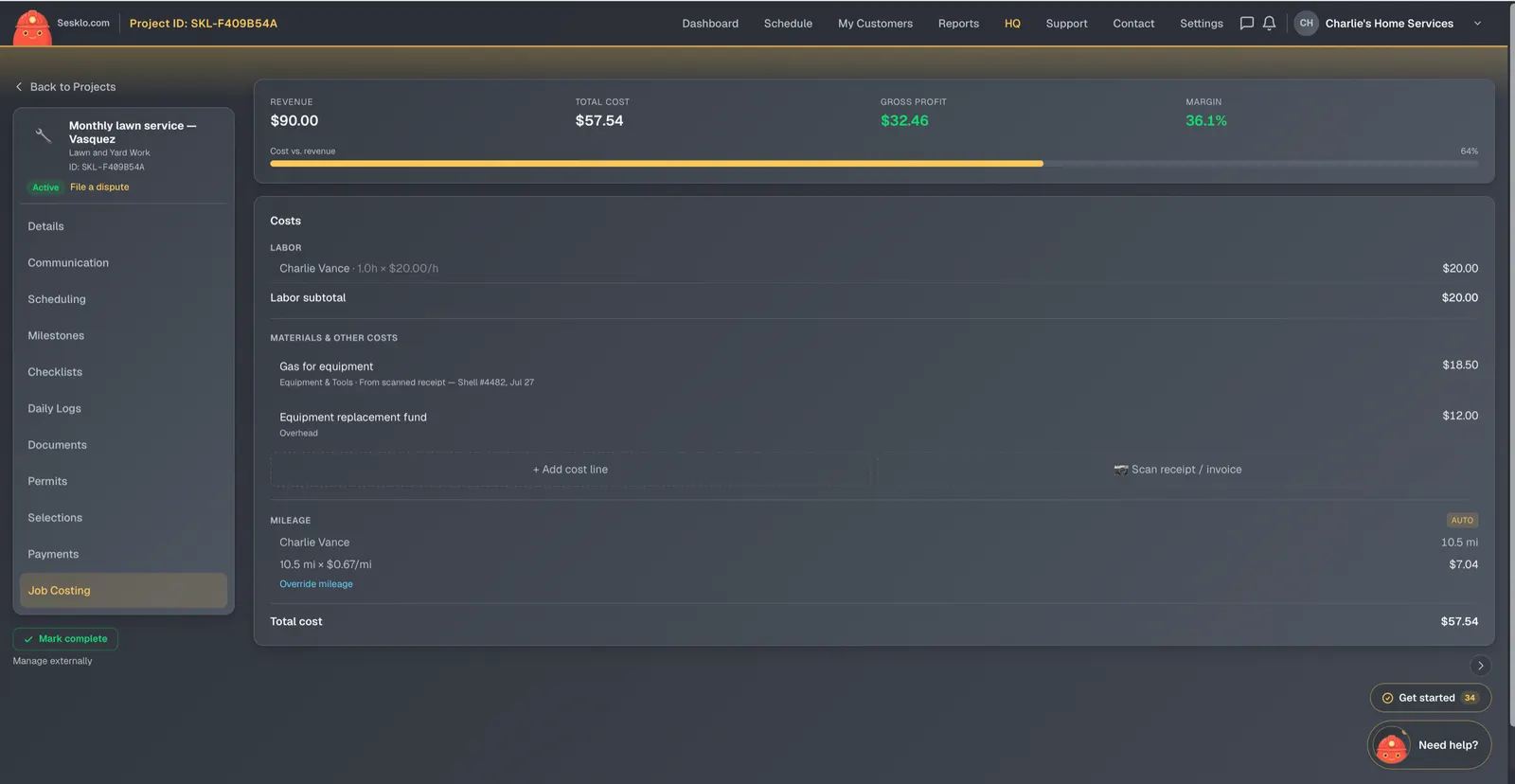
Sesklo builds a profit-and-loss for every project as the work happens — approved labor hours, tracked mileage, and material costs on one side, what you invoiced on the other. You see your real margin per job, not a guess at tax time.
Labor that costs itself in
Approved time on a job flows into its cost at a loaded rate you set — wage plus burden — so labor is counted at what it really costs you, not just the hourly wage. As your crew logs hours, the job’s margin updates.
Mileage tracked without a spreadsheet
Sesklo attributes each day’s driving to the jobs on the schedule using mapping data and your vehicle rate, so windshield time shows up as a real cost. It’s automatic, and you can override any number by hand when you need to.
Materials in, receipts and all
Add material and other costs as a line, or snap a receipt and let Sesklo split it into cost lines for you. Every dollar of cost lands on the job it belongs to.
Owner-only, by design
Job costing and your rates live behind an owner-and-admin wall, so your margins and loaded labor rates stay private to the people who should see them.
See the margin on every job
Job costing is included on the Pro plan.